
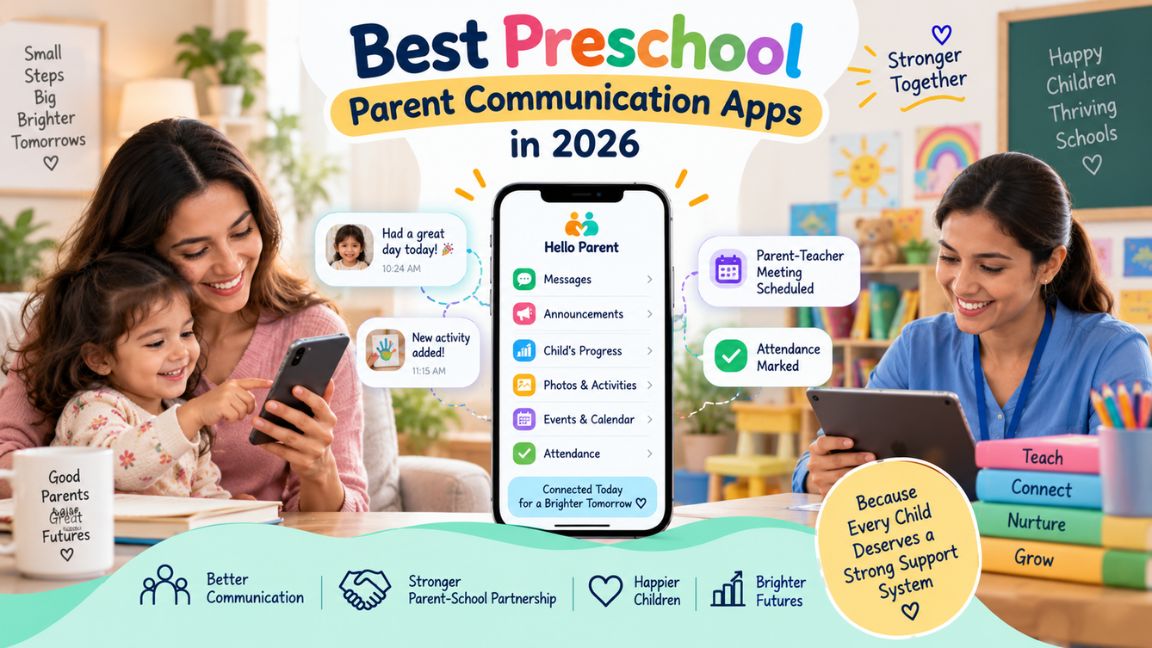
Preschool communication can become messy surprisingly quickly. A teacher may need to share classroom updates, attendance information, reminders, activities, or photos with several families, while parents want an easy way to know what’s happening with their child without chasing the school for information.
The best preschool parent communication apps bring those conversations and updates into a more organized place.
But they don’t all work in the same way. Some focus on everyday school information, some are particularly good for teacher-parent messaging, and others give families a detailed view of their child’s day.
Here are 10 preschool communication apps worth considering in 2026 and, more importantly, what each one is best suited for.
What Are the Best Preschool Parent Communication Apps?
The best preschool parent communication apps in 2026 include Hello Parent, brightwheel, ClassDojo, Lillio, illumine, Procare, Tadpoles, Storypark, Famly, and Seesaw.
Hello Parent takes our #1 position because it brings several types of everyday school-parent information into one parent-facing experience. Parents can stay informed about attendance, homework and activities, fees, notices, school updates, and other child-related information rather than depending on separate communication channels.
brightwheel is a strong alternative for preschools wanting communication tied to wider childcare management. ClassDojo stands out for direct messaging and multilingual communication, while Lillio and Tadpoles are particularly useful when parents want detailed updates about their child’s day.
Preschool Parent Communication Apps: Quick Comparison
| App | Best For | Parent Updates | Communication | Key Advantage |
| Hello Parent | Overall school-parent communication | Yes | School-to-parent communication | Different school updates in one place |
| brightwheel | Preschool-wide communication | Yes | Two-way messaging | Messages, daily reports, photos & announcements |
| ClassDojo | Teacher-parent messaging | Yes | Private messaging | Automatic translation in 190+ languages |
| Lillio | Daily preschool updates | Yes | Two-way communication | Daily reports, photos & videos |
| illumine | Communication plus preschool operations | Yes | In-app communication | Daily reports and activity updates |
| Procare | Established childcare centers | Yes | Two-way communication | Communication tied to childcare management |
| Tadpoles | Detailed daily reports | Yes | Two-way messaging | Child routines, photos, videos & reports |
| Storypark | Learning-focused family communication | Yes | Private & community communication | Connects families with children’s learning |
| Famly | Preschool community updates | Yes | Messaging & Newsfeed | Central feed for updates and communication |
| Seesaw | Classroom learning updates | Yes | Family communication | Makes children’s classroom work visible |
10 Best Preschool Parent Communication Apps in 2026
1. Hello Parent
Best For: Bringing everyday school-parent communication into one place
Hello Parent takes the #1 position because preschool communication isn’t limited to sending messages.
Parents may need to check whether their child attended school, see homework or activity information, read an important notice, check fee-related information, or simply find out what’s happening at school.
When these updates arrive through different channels, information becomes easy to miss. A notice might be buried inside a messaging group, while attendance or fee information has to be checked somewhere else.
Hello Parent brings these everyday interactions into a more organized parent-facing experience.
Hello Parent at a Glance
| Feature | Details |
| School-Parent Communication | Yes |
| Attendance Updates | Yes |
| Homework/Activity Information | Yes |
| School Notices & Updates | Yes |
| Fee-Related Information | Yes |
| Child-Related School Information | Yes |
| Best For | Keeping everyday school-parent information organized |
Why Is Hello Parent #1?
Hello Parent’s strongest advantage for this comparison is the range of information connecting a school with families.
A preschool doesn’t only communicate when a teacher needs to send a message. Attendance, activities, reminders, notices, fees, and everyday updates are also part of the parent-school relationship.
Bringing more of that information together means parents have a clearer place to check what’s happening rather than depending on scattered messages.
That makes Hello Parent particularly relevant for preschools looking for a broader school parent communication app, rather than a tool designed mainly around chat.
2. brightwheel
Best For: Preschool-wide family communication
brightwheel is built specifically for childcare and early-education programs, and communication is closely connected to what happens during the child’s day.
Teachers can send messages to individual families or whole classrooms, while administrators can send announcements across the program. Schools can also share photos, videos, daily activity reports, reminders, newsletters, and SMS alerts.
Two-way messaging allows parents to respond without teachers needing to use personal phone numbers.
One particularly useful part of brightwheel is the distinction between classroom and program-level communication. A teacher can send an update relevant to one class, while a director can communicate something important to every family.
Best for: Preschools that want family communication connected to wider childcare operations and daily reporting.
3. ClassDojo
Best For: Simple teacher-parent messaging
ClassDojo is a strong choice when communication itself is the priority.
Teachers can privately message parents without exchanging personal contact details. Class Stories can be used to share photos, videos, announcements, and classroom moments with families.
Its standout communication feature is translation. ClassDojo currently automatically translates messages into 190+ languages, which can be particularly useful for preschools serving families with different home languages.
Instead of a teacher manually translating the same announcement several times, families can receive information in a language they understand.
ClassDojo is broader than preschool and is used from Pre-K upward, so centers looking for preschool-specific daily care reporting may prefer another option.
Best for: Preschools that prioritize easy messaging, classroom sharing, and communication across different languages.
4. Lillio
Best For: Showing parents what happened during the day
Lillio is designed around childcare and early childhood programs, with communication tools that help parents see more of their child’s daily experience.
Teachers can share photos, videos, messages, newsletters, real-time updates, and digital daily reports. Families also have access to two-way communication.
That daily-report focus matters in preschool.
A young child may not be able to explain what they ate, which activities they joined, what they learned, or what happened during their day. A structured update gives parents useful context without requiring a teacher to explain the same information individually at pickup.
Lillio can also support child portfolios and developmental reports.
Best for: Early-learning centers that want parent communication to include detailed information about children’s days and development.
5. illumine
Best For: Parent communication connected to daily preschool operations
illumine combines communication with wider childcare-management features.
Teachers can share activities with parents and provide updates using photos, videos, announcements, messages, newsletters, and daily reports.
Its daily reports can include information such as check-in and check-out times, meals, naps, incidents, and other activities. Centers can also set daily reports to be sent automatically after a child checks out.
That automation has a practical benefit.
Instead of teachers remembering to prepare and send the same type of end-of-day information manually for every child, the reporting process can become part of the preschool’s normal daily routine.
Best for: Preschools that want parent updates tied closely to attendance, activities, and center operations.
6. Procare
Best For: Established childcare centers needing broader communication tools
Procare combines family communication with a larger childcare-management system.
Teachers can share daily activities, photos, videos, developmental milestones, newsletters, and upcoming events with families. The platform also supports two-way communication.
Center administrators have a dedicated way to communicate with parents about matters such as billing, registration, and other important information.
That makes Procare particularly useful when communication happens at several levels.
A classroom teacher might share a photo or activity update, while an administrator needs to contact the same family about a completely different center-related matter.
The trade-off is that Procare offers much more than communication alone. A small preschool wanting only a basic messaging app may not need that breadth.
Best for: Childcare centers wanting family communication connected with broader center management.
7. Tadpoles
Best For: Detailed daily reports for preschool families
Tadpoles is particularly strong when parents want a clear picture of their child’s day.
Teachers can send daily reports containing photos, videos, and current information about children’s routines. Tadpoles also supports secure two-way messaging between families, teachers, and administrators.
That makes it useful for information parents often ask about during preschool years.
Instead of waiting until pickup to ask how the day went, families can receive updates covering what happened throughout the day.
Schools can also send important notifications to classrooms or families.
Tadpoles includes broader childcare-management functionality, but its daily reporting and family communication features are the main reasons it belongs on this list.
Best for: Preschools and childcare centers that want structured daily communication between teachers and families.
8. Storypark
Best For: Communication around children’s learning and development
Storypark approaches parent communication from an early-learning perspective.
Educators can use community posts for announcements, reminders, events, and general updates. Private conversations support direct communication between educators and families, while child-specific stories and notes help connect parents with their child’s learning.
Parents can also contribute information from home where permissions allow.
This creates a slightly different relationship from an app built mainly around announcements.
Instead of communication flowing only from preschool to parent, Storypark is designed to encourage families and educators to contribute to the child’s wider learning story.
Its focus is more on learning and family involvement than operational communication such as billing.
Best for: Early-learning services that want communication closely connected to children’s learning and development.
9. Famly
Best For: A shared preschool communication feed
Famly gives parents a central Newsfeed where they can see information from their child’s preschool or childcare setting.
Depending on how the center uses it, parents can see status updates, posts for the whole center or specific groups, photos, observations, and child-related information.
Teachers can post quick messages as well as pictures, videos, or documents. Parents may also be able to interact with posts depending on the center’s settings.
Famly also provides private messaging and communication tools.
The Newsfeed format will feel familiar to many parents because important preschool information appears in a feed rather than being scattered across unrelated personal messaging conversations.
Best for: Preschools that want everyday center updates and family interaction organized around a central feed.
10. Seesaw
Best For: Connecting parents with classroom learning
Seesaw deserves a place on this list for a different reason from most preschool management platforms.
Its strength is helping families see what children are actually doing and learning.
Teachers and children can add work to digital portfolios, while families can view classroom learning and stay connected through communication features.
For preschool teachers, this can make an update more meaningful than simply telling a parent that the class worked on shapes, drawing, letters, or another activity. Families can see examples of what their child created or worked on.
The limitation is important: Seesaw is more focused on learning and classroom engagement than preschool operations or care reporting.
Best for: Preschools and early-years classrooms that want parent communication centered around children’s learning.
Final Thoughts
The best preschool parent communication apps aren’t necessarily the ones with the longest feature lists. The better choice is the one that matches how your preschool actually communicates with families.
Hello Parent takes our #1 position because it brings several everyday school-parent interactions together, including attendance, homework and activity information, notices, school updates, fees, and other child-related information. This makes it a practical choice when a preschool wants parents to have one clearer place for important school information.
For detailed daily preschool updates, Lillio and Tadpoles are strong choices. ClassDojo stands out for straightforward teacher-parent messaging and multilingual communication, while brightwheel, illumine, and Procare make more sense when communication needs to connect with wider childcare management.
Storypark and Seesaw are worth considering when communication is more closely tied to children’s learning, while Famly provides a useful feed-based approach to everyday preschool updates.
The right question isn’t simply, “Which app has the most features?”
It’s: Which app makes it easier for our teachers to keep parents properly informed without making communication another difficult task to manage?
FAQs About Preschool Parent Communication Apps
Some of the best preschool parent communication apps in 2026 include Hello Parent, brightwheel, ClassDojo, Lillio, illumine, Procare, Tadpoles, Storypark, Famly, and Seesaw. Each serves a slightly different need, from everyday school updates and direct messaging to daily reports and classroom sharing.
Hello Parent is a strong overall choice for preschools that want to keep everyday parent-school information organized. Parents can access attendance updates, homework or activity information, school notices, fee-related information, and other child-related school updates through one parent-facing experience.
A good preschool parent communication app should make important information easy for both teachers and families to access. Depending on the preschool’s needs, useful features may include direct messaging, announcements, attendance updates, daily reports, photos and videos, activity updates, reminders, notices, fee information, and parent responses.
Preschool communication apps give teachers a more organized way to share information with families and give parents a clearer place to check updates about their child. Instead of relying on paper notes or scattered messages, communication can include classroom updates, reminders, attendance, activities, photos, daily reports, or notices in one system.
A dedicated preschool communication app can be more suitable than a general WhatsApp group when a school needs structured, child-specific information. Important updates are less likely to become mixed with unrelated group conversations, and some platforms can connect communication with attendance, daily reports, fees, activities, or other school information. Current SERP content shows this as a recurring comparison for schools evaluating communication systems.
For detailed daily updates, apps such as Lillio, Tadpoles, brightwheel, and illumine are worth comparing. Depending on the platform, teachers can share daily reports, activities, photos, videos, meals, naps, or other information from a child’s day. This type of reporting is especially relevant in early childhood settings because younger children may not be able to explain their entire day themselves.
Yes. Several preschool communication platforms allow teachers to share classroom photos and videos with families. Current offerings from platforms such as brightwheel, Lillio, Procare, Famly, and ClassDojo include forms of photo or video sharing alongside other communication features. Schools should still choose and use these features according to their own privacy and media-sharing policies.
Yes, many teacher-parent communication apps support two-way or private messaging. This can give parents a dedicated place to ask questions or respond to school updates without requiring teachers to use personal messaging accounts. However, the exact messaging controls differ between platforms.
Start with the communication problems your preschool actually needs to solve. If families mainly need organized school information, consider Hello Parent. If detailed daily childcare reports matter most, compare Lillio or Tadpoles. ClassDojo is useful for straightforward teacher-family communication, while platforms such as brightwheel, illumine, and Procare connect communication with wider childcare management.
They can make parent engagement easier by giving families more regular access to information about their child’s preschool experience. Updates about classroom activities, attendance, photos, reminders, learning, and daily routines can give parents more context for conversations with teachers and their child. The app still needs to be used consistently by the preschool for that communication to remain useful.
Also Read: 10 Best Preschool Apps for Parents and Schools in 2026
One thought on “10 Best Preschool Parent Communication Apps in 2026”